


"How much traffic does this website get?"
It's the million-dollar question, isn't it? Whether you're a burgeoning business owner eyeing competitive landscapes, an SEO strategist mapping out your next move, or a developer seeking to refine your web presence, understanding website traffic is non-negotiable. It's the pulse of any online venture, revealing market trends, audience behavior, and growth opportunities.
But here's the catch: the internet is awash with tools promising traffic insights, yet many fall short on accuracy or overwhelm with complexity. Wasting precious time and resources on ineffective solutions is a common pain point we hear from the ShareWordpress community.
Having guided thousands of website owners to amplify their online footprint, we've navigated this complex terrain to bring you clarity. We've rigorously tested and compared dozens of website traffic checker tools, dissecting their strengths and weaknesses. Our mission? To arm you with the definitive list of reliable, user-friendly solutions that deliver actionable data without demanding an advanced degree in analytics.
This comprehensive guide will not only reveal the best tools but also empower you with the knowledge to interpret these insights, granting you an undeniable competitive advantage.

In a hurry? This comparison table offers a rapid glance at the leading website traffic tools, helping you pinpoint the ideal solution based on your specific needs and budget.
Understanding your website's performance is akin to reading its vital signs. By regularly checking your own site's statistics, you gain invaluable insights into audience behavior, content effectiveness, and campaign success.
Your traffic data acts as a dynamic roadmap, revealing visitor origins, on-site engagement patterns, and the digital marketing strategies that truly resonate. This allows you to:
Regularly tracking your site’s visitors isn't just about numbers; it's about making data-driven decisions that propel your website forward.
Pro Tip: Integrate weekly traffic checks into your routine. This proactive approach ensures you stay ahead of performance shifts and can swiftly adapt to evolving user behaviors.
Analyzing your competitor’s website traffic is like gaining a strategic blueprint of their success. It's not about imitation; it's about intelligent competitive intelligence. By peering into their traffic patterns, you uncover:
This knowledge empowers you to refine your own content strategies, optimize your link-building efforts, and sharpen your keyword research. Your ultimate goal is to understand what drives their success and leverage those insights to generate a flood of relevant traffic for your own website.
The digital marketing landscape is crowded with tools, both free and premium. Our rigorous testing methodology ensures that only the most reliable and user-friendly options make it onto our recommended list. We understand that a complete traffic picture often requires combining multiple tools, each offering unique insights.
Here’s a glimpse into our comprehensive evaluation process:
Like most industry experts, we embrace a multi-tool approach to glean the most exhaustive traffic estimates. We encourage you to experiment with at least two different tools. As your WordPress site flourishes and your budget expands, investing in a diverse set of tools will yield deeper insights, equipping you to truly dominate your market.
Since 2009, ShareWordpress has been a trusted beacon for the WordPress community, illuminating the path to online success. Our team comprises seasoned experts in WordPress development, SEO, and web analytics, with a profound understanding of how to effectively measure, interpret, and act upon website traffic data.
Every tool, strategy, and recommendation we present undergoes meticulous scrutiny before it reaches your screen. Millions of WordPress users globally place their trust in our content, a testament to our commitment to accuracy and practicality.
Transparency is paramount. You can delve into the specifics of our rigorous selection and recommendation process by exploring our editorial process. Rest assured, our guidance is always reliable, actionable, and perpetually up-to-date.
Now, let's dive into the best tools to check website traffic for any site and unlock your website's full potential.

All in One SEO (AIOSEO) transcends the typical WordPress SEO plugin; it's a comprehensive toolkit that includes robust website traffic monitoring capabilities through its intuitive Search Statistics feature. If you're seeking a powerful yet beginner-friendly SEO platform integrated with a reliable traffic checker, AIOSEO is an outstanding choice.
We don't just recommend AIOSEO; we use it daily on our own websites and have put it through its paces in our extensive AIOSEO review.
One of AIOSEO's standout advantages is its ability to simplify complex SEO concepts and analytics data. It elegantly presents crucial metrics from other tools, like Google Search Console, directly within your WordPress dashboard. For example, after you easily add your WordPress site to Google Search Console via AIOSEO, you can then visualize its charts and data seamlessly through the plugin’s Search Statistics addon.

This integration allows you to monitor SEO statistics, track keyword rankings, identify top-performing content, and much more without ever leaving your site. Alternatively, the MonsterInsights tool (discussed later) also offers Google Search Console data within your WordPress admin, providing multiple avenues to see the keywords people use to find your WordPress site.
AIOSEO's versatility extends to competitor analysis. Its SEO Analysis tool allows you to effortlessly investigate how rivals are driving organic traffic. Simply navigate to the ‘Analyze Competitor Site’ tab, input your competitor’s URL, and click ‘Analyze’.

This immediately provides an SEO score for the website, a preview of its search engine results page (SERP) appearance (title and meta description), and most importantly, identifies the keywords your competitor is targeting. This vital information can guide your own keyword strategy to improve your rankings.

For a step-by-step guide on leveraging AIOSEO for competitor insights, refer to the first method in our article on how to do an SEO competitor analysis in WordPress.
While the SEO Analysis tool is available in the free version of AIOSEO, accessing the powerful Search Statistics and advanced SEO features that drive higher search rankings requires the $199.60/year Pro plan of AIOSEO.
Pros of All in One SEO:
Cons of All in One SEO:
Why we recommend All in One SEO: All in One SEO (AIOSEO) provides an incredibly user-friendly pathway to monitor website traffic, whether for your own site or your competitors'. It's an indispensable choice for bloggers and small business owners seeking to optimize their SEO and gain traffic insights without ever having to leave their WordPress environment.

Semrush stands as a titan in the realm of all-in-one traffic analysis and competition research. For those requiring access to granular, advanced data and possessing the budget to invest, Semrush is, in our opinion, an unparalleled solution.
At ShareWordpress, we extensively utilize Semrush for a myriad of tasks, from precise keyword research to meticulous keyword ranking tracking and far beyond. Our detailed Semrush review delves into the full spectrum of its formidable features.
Simply input a competitor’s URL, and Semrush immediately delivers a comprehensive breakdown of their estimated total traffic. You can explore critical website metrics such as historical monthly traffic volume, geographical traffic distribution, the top-performing keywords driving their traffic, and a wealth of other valuable data points.

The ‘Traffic Analytics’ tab is particularly potent, providing estimates for unique visitors, total visits, average visit duration, pageviews, and bounce rate. We view this feature as akin to peeking into your competitor’s Google Analytics account—a significant strategic advantage.

Another highly valuable feature is Bulk Traffic Analysis, which enables simultaneous traffic level comparisons for multiple competitors. Depending on your subscription tier, you can analyze up to 200 websites concurrently. This provides a macroscopic view of your niche, highlighting dominant players and uncovering potential traffic opportunitiesRipe for the taking.
Furthermore, Semrush provides in-depth traffic analytics reports revealing top referral sources, most valuable on-site pages, and key geographical traffic hubs.
For detailed instructions on leveraging Semrush for competitor tracking, consult Method 2 of our guide on how to do an SEO competitor analysis in WordPress.
You can take advantage of our exclusive Semrush coupon code for a free premium trial or utilize its free (though limited) plan for fundamental website data. Full reports and comprehensive features start at $129.95 per month, granting complete access to competitor traffic sources, rankings, social media insights, and more.
Pros of Semrush:
Cons of Semrush:
Why we recommend Semrush: Semrush empowers users to estimate traffic for virtually any website, including direct competitors. While its traffic figures are estimates, they offer invaluable insights into market trends and rival strategies, making it a stellar "all-in-one" option for advanced users. Bear in mind, it is one of the more premium solutions on our list, necessitating a larger budget.
Free Alternative: If your primary goal is to identify competitor keywords, leverage ShareWordpress’s free Keyword Density Checker.
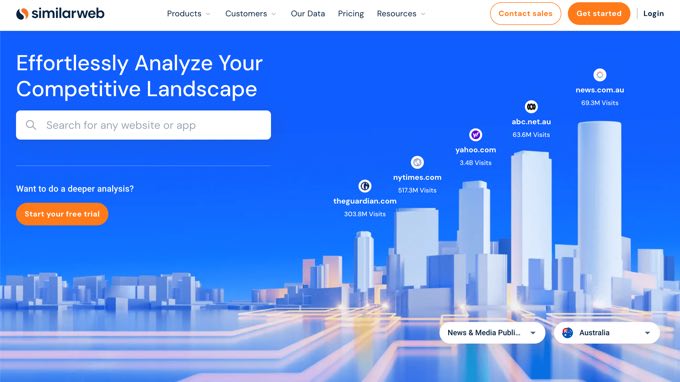
Is your primary focus on outmaneuvering the competition? SimilarWeb is an indispensable online website traffic checker, providing a panoramic view of your competitor’s traffic and pinpointing their most valuable channels. We particularly appreciate its ability to shed light on a website's entire traffic ecosystem, not just organic search.
Upon running a website through SimilarWeb, you receive a comprehensive breakdown of its overall traffic, complete with a country-by-country report.

You'll gain access to critical engagement metrics such as bounce rate, average pages viewed per visit, average visit duration, and the site's top traffic sources. Beyond organic search, SimilarWeb uncovers which paid keywords drive traffic, the most impactful social channels, and the display networks used for monetization.

Finally, you’ll receive a detailed analysis of the site's audience demographics, their other interests, top referring sites, and a curated list of competitor sites for further exploration.
While the free version provides valuable traffic data, more in-depth reports are available with paid plans starting at $199/month, with enterprise accounts offering custom pricing.
Pros of SimilarWeb:
Cons of SimilarWeb:
Why we recommend SimilarWeb: SimilarWeb offers estimated traffic insights for nearly any website, rendering it an invaluable asset for competitive analysis. It's the perfect solution for marketers committed to understanding their competitive landscape and identifying burgeoning growth opportunities.

Google Search Console is a foundational, free tool from Google that provides an unparalleled direct view into how your site performs in Google Search. It's an absolute must-have for anyone aiming to significantly boost their organic traffic from the world's largest search engine.
We’ve utilized this powerful tool extensively over the years, witnessing firsthand its transformative potential. The ‘Performance’ tab is particularly insightful, showcasing the number of impressions, clicks, click-through rate (CTR), and the average search position of your keywords.

This data empowers you to grasp which keywords you’re ranking for and the actual search volume they generate, all crucial for optimizing your traffic. For instance, if you discover you’re ranking at position 11 for a key term, you can strategically optimize that blog post to push it onto the first page of search results. Furthermore, you can monitor indexed pages, identify crawling errors, and much more.
Once you’ve successfully added your site to Google Search Console, you can begin to harness its wealth of website data. The primary drawback, in our experience, is its complexity for beginners; most website owners find AIOSEO’s integrated Search Statistics reports (mentioned above) far more digestible.
Pros of Google Search Console:
Cons of Google Search Console:
Why we recommend Google Search Console: Google Search Console is the definitive, official source for Google Search performance data. It offers direct, accurate insights into a site's performance in Google’s search rankings and is available entirely free of charge.

SEO PowerSuite is not just one tool, but a powerful ecosystem of desktop applications: Rank Tracker, Website Auditor, SEO Spyglass, and LinkAssistant. We consider it an exceptional choice for users seeking an all-encompassing SEO solution that offers advanced insights into a broader spectrum of search engines, including less common yet crucial platforms like Bing, Yahoo, and YouTube.
During our research, we found that the Rank Tracker tool within the suite provides quick and effective traffic stats. While its core functionality revolves around keyword research and rank tracking, its Domain Analysis tab delivers a rich, data-packed dashboard featuring multiple graphs and charts.
By default, this dashboard displays information about your project domain. However, we were particularly impressed by the flexibility to input any URL to instantly check organic traffic estimates, associated keywords, backlink counts, and even a proprietary domain strength metric (SEO PowerSuite’s alternative to Google's PageRank).

Should you prefer to initiate your research with a specific keyword rather than a URL, the SERP analysis module caters to this need. The software meticulously crawls the search engine results page (SERP) and provides insights for the top 50 results, encompassing organic traffic, backlinks, keyword difficulty, and more. A highly valuable feature here is the ability to select your preferred search engine, whether a local Google version or alternatives like Bing, Yahoo, and even YouTube.

Rank Tracker offers a wealth of additional features, including a diverse array of keyword research methods (even the uncommon TF-IDF), a robust competitor research dashboard (for identifying keyword gaps and analyzing top competitor content), and, naturally, a dedicated rank-tracking dashboard to monitor your progress against rivals.
While many features in Rank Tracker are accessible for free, saving and sharing project data (locally or to the cloud) necessitates a paid plan, with subscriptions starting from $299/year.
Pros of SEO PowerSuite:
Cons of SEO PowerSuite:
Why we recommend SEO PowerSuite: SEO PowerSuite’s Rank Tracker tool delivers an integrated solution for keyword research, rank monitoring, and competitor analysis. Its capacity for unlimited projects and keyword tracking makes it exceptionally powerful. Furthermore, it's an ideal choice if your strategy extends beyond Google to encompass data from search engines like Bing, Yahoo, and YouTube.

Ubersuggest, initially a free tool now offering premium tiers, provides a wealth of valuable website traffic data. Its streamlined interface is explicitly designed for ease of use, making it an excellent starting point for beginners embarking on keyword research or traffic analysis.
During our testing, we found Ubersuggest’s traffic analyzer feature to be particularly effective, offering a detailed breakdown of competitor traffic over time, their highest-performing keywords, and most popular pages. Simply input the desired website URL and click ‘Search’.

The ‘Traffic Overview’ page immediately presents: the total number of organic keywords the site ranks for, estimated monthly organic traffic, domain authority, and the total number of backlinks.
We particularly appreciate the ability to drill down into each section of the traffic report. For example, expanding the ‘Top Pages’ results provides a detailed overview of each published page, complete with estimated monthly traffic.

These results also include estimated backlinks, alongside Facebook and Pinterest share counts. This combined data offers a general benchmark for what it might take to outrank that specific page in the SERPs.
The free version of Ubersuggest offers access to the last 3 months of data, while premium plans start at an affordable $29 per month, positioning it as one of the most budget-friendly tools on this list.
Pros of Ubersuggest:
Cons of Ubersuggest:
Why we recommend Ubersuggest: Ubersuggest, developed by renowned digital marketer Neil Patel, is a user-friendly tool offering a simplified yet comprehensive overview of website traffic data. It is an excellent choice for beginners and small businesses seeking actionable insights without complexity.
Evolving from its origins as a straightforward keyword research tool, Serpstat has blossomed into a robust, all-in-one website analysis platform boasting a broad spectrum of SEO features. With its sophisticated traffic analysis capabilities, we believe it’s an exceptional option for digital marketers seeking depth and versatility.
During our testing, we discovered that Serpstat integrates powerful backlink analysis, site auditing, and rank-tracking tools alongside its core traffic-checking functionalities. Despite being packed with features, we found the interface remarkably intuitive. Simply input a URL, and the tool rapidly generates a comprehensive traffic report.
Serpstat's traffic analysis features unveil a wealth of valuable website data. This includes both organic and paid keywords driving traffic, the estimated average number of monthly visitors, and the pages that garner the most attention.

You’ll also gain access to critical trend information, allowing you to observe how a site’s rankings, traffic, and keywords have performed over time.
The free version provides access to a portion of the total available data for a domain name. For complete data access, premium plans commence at an competitive $59 per month.
Pros of Serpstat:
Cons of Serpstat:
Why we recommend Serpstat: Serpstat delivers a comprehensive suite of SEO tools, prominently featuring in-depth traffic analysis. It's perfectly suited for digital marketers, SEO professionals, and businesses who require an all-in-one SEO platform with strong traffic analysis capabilities.

Ahrefs empowers you to not only see how much traffic your competition receives but, more importantly, to understand the underlying reasons for their high rankings. Given its unparalleled and comprehensive suite of SEO features, Ahrefs is tailor-made for SEO professionals seeking an edge.
We are consistently impressed by Ahrefs' sheer scale: it crawls over 8 billion web pages daily and maintains an index of more than 200 million websites. This vast dataset allows Ahrefs to furnish highly actionable insights that can dramatically improve your rankings and drive more traffic.
During our rigorous testing, we found Ahrefs' interface to be remarkably intuitive and user-friendly, despite the immense depth of data it provides. Simply input a website URL into the search field, and Ahrefs instantly aggregates all available information.
The search overview report delivers a concise summary of a site's estimated organic search traffic, domain authority, its primary competitors, and much more.

You can flexibly filter reports to view traffic statistics for the past year, the last 30 days, or all-time. While a vast amount of data is presented, the filtering options make it easy to quickly locate the specific website metrics you require. However, it's crucial to remember that Ahrefs' traffic data primarily focuses on organic search and does not encompass other sources like social media.
While a free membership to Ahrefs Webmaster Tools is available, the full suite's power is unlocked with paid plans starting at $129 per month (when paid annually). Considering the unparalleled depth and breadth of data at your fingertips, our experience confirms that Ahrefs unequivocally justifies its cost.
Pros of Ahrefs:
Cons of Ahrefs:
Why we recommend Ahrefs: Ahrefs offers a comprehensive suite of SEO tools, with traffic analysis at its core. It is the ideal choice for SEO professionals and digital marketers who demand in-depth SEO insights seamlessly integrated with robust website traffic data.

If your primary need is to meticulously analyze traffic for your own website, Google Analytics remains the industry benchmark. However, directly configuring and interpreting raw Google Analytics data can be a daunting task for many. This is precisely why we wholeheartedly recommend MonsterInsights as the most user-friendly solution to harness the full power of Google Analytics within your WordPress environment.
Trusted by over 3 million websites globally, including industry giants like Microsoft, Yelp, and PlayStation, MonsterInsights is also our go-to tool at ShareWordpress for tracking conversions, referral links, and a myriad of other critical website statistics. Dive deeper into our hands-on experience in our complete MonsterInsights review.
MonsterInsights streamlines the process of setting up Google Analytics in WordPress and provides direct access to your traffic data right from your WordPress dashboard.

One particularly powerful feature we adore is the ability to add annotations directly within your MonsterInsights reports. This allows you to mark key changes or events on your website—such as publishing a new blog post, launching an ad campaign, or sending an email newsletter—and instantly observe their direct impact on your traffic.

After using other tools to assess your competitors’ traffic and keywords, MonsterInsights provides the perfect platform to analyze whether similar strategies are yielding positive results for your own website. You’ll gain insights into your top-performing posts, pages, landing pages, homepage traffic, visitor demographics, and much more. This holistic view simplifies understanding user behavior and significantly assists in growing your WordPress blog efficiently.
Pros of MonsterInsights:
Cons of MonsterInsights:
Why we recommend MonsterInsights: MonsterInsights seamlessly brings Google Analytics data into your WordPress dashboard, making it an indispensable tool for bloggers who find the standard Google Analytics interface overwhelming. It is included as a bonus because its primary function is to check traffic exclusively on your own website.
Alternative: OnePageGA offers another streamlined solution for deciphering your Google Analytics 4 data. It features a simple, clean dashboard with 25+ built-in reports, customizable key metrics, revenue tracking, and more, all without requiring a WordPress plugin installation.
Mastering website traffic is a dual endeavor: understanding your own performance and dissecting your competitors' strategies. Monitoring your site's traffic validates your SEO, social media, and campaign effectiveness. Simultaneously, analyzing competitor traffic provides invaluable market intelligence, revealing new avenues for growth.
The optimal tool depends on your specific objectives and budget, ranging from comprehensive SEO suites to specialized tools for real-time tracking or competitor estimations.
For WordPress Users Seeking Integrated Insights: If you already leverage All in One SEO (AIOSEO) for SEO optimization, its premium Search Statistics feature brilliantly displays Google Search Console data for your site. Coupled with its SEO Analysis page for competitor insights, it presents a powerful, integrated solution directly within WordPress.
For In-Depth Competitor Research and All-in-One SEO: Our top recommendation for profound competitor research and comprehensive traffic analysis on any website is Semrush. It not only provides remarkably accurate traffic estimates but also stands as one of the best SEO tools available in the market.
For Effortless Personal Website Traffic Monitoring: When the focus is solely on understanding your own website's analytics, MonsterInsights shines brightest. It seamlessly integrates your Google Analytics data into an easily digestible dashboard within your WordPress admin, simplifying complex metrics.
Our readers frequently ask insightful questions about how to understand and monitor website traffic. Here are concise answers to the most common queries:
Website traffic refers to the volume of visitors and visits a website receives within a specific timeframe. Key traffic metrics include pageviews, unique visitors, and session duration.
Monitoring traffic helps you understand your audience, strategize your marketing efforts, identify your most popular content, and make informed, data-driven decisions to enhance your website’s performance and reach.
For accurate data on your own website, Google Analytics and Google Search Console are primary. Plugins like All in One SEO and MonsterInsights simplify accessing this data in WordPress. For competitor analysis, popular third-party tools include Semrush, Ahrefs, and SimilarWeb. The "best" tool ultimately depends on your specific needs and budget.
Yes, tools like AIOSEO, Semrush, Ahrefs, and SimilarWeb provide valuable estimates of competitor traffic. However, it’s crucial to remember these are estimates and may not be 100% precise.
While immensely useful for competitive analysis and general trends, the accuracy of third-party traffic tools can vary. They are best leveraged for broad insights and strategic direction rather than minute, precise measurements.
For most websites, a weekly check is recommended to stay informed. However, eCommerce sites or those running active marketing campaigns may benefit from daily monitoring to track immediate impacts.
Pageviews count the total number of times pages on your site were viewed, including repeat views by the same user. Unique visitors count individual users who visited your site, regardless of how many pages they viewed during their session.
Absolutely. Google Analytics and Google Search Console provide extensive traffic data for free. Additionally, many other tools offer free versions with limited but useful features.
Common strategies include strategic SEO implementation, consistently creating high-quality content, active social media engagement, running targeted paid advertisements, and optimizing your site for mobile users.
We sincerely hope this article has demystified the process of checking website traffic for any site and equipped you with the best tools. To further enhance your traffic-generation prowess, explore these highly recommended WordPress guides:
If this article illuminated your path to understanding website traffic, consider subscribing to our YouTube Channel for more insightful WordPress video tutorials. You can also connect with us on Twitter and Facebook to join our thriving community!
