


Are you tired of watching over 75% of your website visitors vanish into thin air, never to return? You pour countless hours into creating compelling content, optimizing your SEO, and driving traffic, only to see potential customers slip through your digital fingers. It’s a frustrating cycle that costs you valuable leads, sales, and long-term growth.
Imagine if every visitor, every fleeting interaction, could evolve into a lasting relationship. The good news? It can. The secret lies in a strategic approach to lead generation – specifically, capturing valuable contact information so you can nurture those initial sparks of interest into loyal, repeat customers.
Too often, site owners believe lead generation is reserved for tech gurus or marketing agencies with hefty budgets. Not true. This comprehensive guide will equip you with battle-tested strategies and the exact WordPress tools and plugins you need to effortlessly transform anonymous visitors into engaged leads, even if you’re a complete beginner.
Stop letting valuable traffic go to waste. Read on to discover how to build an evergreen lead generation machine right on your WordPress site, turning one-time visits into an endless stream of loyal patrons.

This is a comprehensive guide on lead generation in WordPress, so we’ve added a table of contents for easier navigation:
Lead generation is the lifeline of any successful online venture. It’s the strategic process of attracting and converting casual website visitors into interested prospects, or "leads," by gathering their contact information. This empowers you to build relationships, deliver targeted value, and ultimately guide them towards becoming loyal customers.
A robust WordPress lead generation strategy allows you to:
Various methods exist for cultivating leads, often centered around creating compelling lead magnets – irresistible resources offered in exchange for contact details. Depending on your website’s niche and goals, you can encourage visitors to share their information by:
At its core, lead generation opens a direct line of communication between you and your audience. Once you secure an email address, you unlock the power to deliver personalized offers, valuable content, and exclusive benefits, drawing them back to your site and converting them into advocates for your brand.
Simply put, if you have a website, you need lead generation. Whether you’re a burgeoning blogger, a small business aiming for expansion, a large enterprise, or even a hobbyist sharing your passion – lead generation is non-negotiable for sustainable growth.
Even nonprofit organizations leverage lead generation to cultivate support and increase donations. If your objective is to expand your audience and drive more traffic to your site, then initiating lead generation today is paramount.
Many highly successful online marketers and bloggers (including us) will assert that their biggest regret was not prioritizing email list building and lead capture much earlier in their journey. Don't make the same mistake.
Every moment you delay implementing a lead generation system, you're missing out on potential customers and opportunities. It takes time to create a high-converting lead magnet and establish effective lead capture.
Even if you’ve just launched your blog and traffic is modest, those early leads accumulate over time, forming a valuable asset for future growth.
For business owners still in the pre-launch phase, lead generation can begin even before your full website is live. Creating engaging coming soon pages allows you to build anticipation and capture interest long before your grand debut.

Now, let's dive into the essential steps to kickstart your lead generation initiatives on WordPress.
Before you can effectively generate leads, you must establish the right foundation. This begins with selecting the correct WordPress platform. Remember, there are two distinct versions: WordPress.com and WordPress.org.
We unequivocally recommend the self-hosted WordPress.org. This version grants you full control, unrestricted access to all WordPress features, and the flexibility needed to build a sophisticated, lead-generating website without limitations.
💡 For a detailed comparison, refer to our guide: WordPress.com vs. WordPress.org.
To begin constructing your lead-generating WordPress site, you’ll need:
Your initial step is to secure a domain name and reliable web hosting.
We highly recommend Bluehost for your web hosting needs. Their plans are officially endorsed by WordPress and are ideal for both beginners and established businesses, offering unparalleled reliability and ease of use.

As a special offer for ShareWordpress readers, you can receive a significant discount on hosting, a free domain name, and a complimentary SSL certificate (crucial for seismic security and SEO).
Claim your discounted hosting by clicking the Bluehost button below – the discount applies automatically.
→ Click Here to Claim This Exclusive Bluehost Offer ←
Once your hosting is set up, follow our ultimate guide on how to make a website for a seamless setup process.
To truly excel at lead generation, certain plugins and tools are indispensable. Here are our top recommendations to get you started:
First, secure an email marketing service provider. This platform is your command center for collecting contact information, managing your mailing list, and sending highly effective campaigns.
Top-tier services perfect for startups and growing businesses include Constant Contact, HubSpot, and Brevo (formerly Sendinblue).
Next, integrate a powerful popup and lead capture tool like OptinMonster. This is consistently ranked as one of the best popup plugins and lead generation solutions on the market, trusted by over 1.2 million websites worldwide.
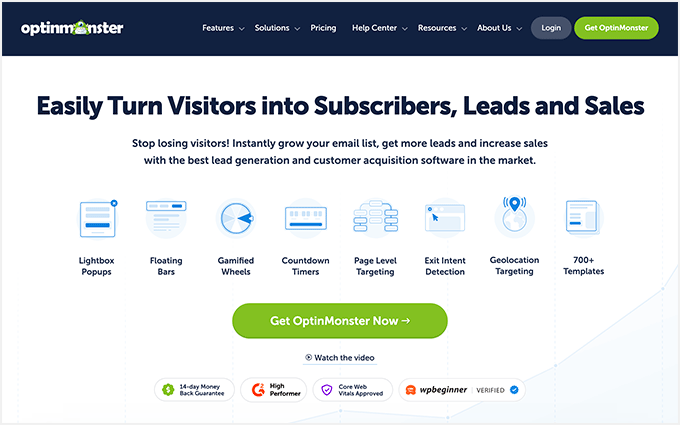
OptinMonster empowers you to create attention-grabbing popups, sleek floating bars, engaging scroll boxes, and more, all designed to maximize lead capture on your site. We not only endorse OptinMonster, but we also use it extensively across ShareWordpress and our partner brands. It famously helped us grow our email list by an astounding 600%!
To incentivize visitors to share their contact information, effective lead magnets are key. Consider them as valuable exchanges: your subscriber receives a useful resource (like an ebook or checklist), and you gain a new lead to nurture.
Creating professional lead magnets is simplified with tools like Beacon. This lead magnet tool features an intuitive drag-and-drop editor and a rich library of built-in templates, enabling you to design stunning lead magnets with unparalleled ease.

Beacon also facilitates the creation of lead magnet opt-in forms that seamlessly collect visitor information and deliver your lead magnet straight to their inbox.
Even better, Beacon automates the transfer of this data to your email marketing service and can even add tags for intelligent segmentation, allowing you to run highly targeted campaigns and significantly save time.
⭐ For a deeper dive into this powerful tool, check out our comprehensive Beacon review.
Finally, a robust WordPress form builder is indispensable. WPForms stands out as one of the best lead generation plugins and form builders available, celebrated for its user-friendliness, perfect for beginners.
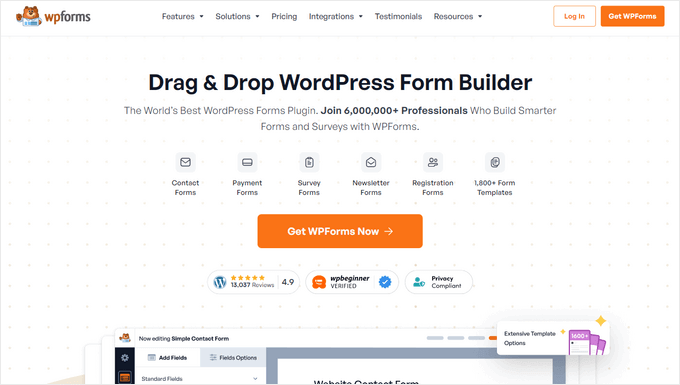
WPForms empowers you to create diverse lead-generating forms, sign-up forms, and much more, all without touching a line of code.
Curious to learn more? Explore our detailed WPForms review.
Beyond these core tools, we'll delve into several other powerful WordPress lead generation plugins, strategies, and tips below to help you convert every website visitor into a valuable lead, customer, or subscriber.
One of the most foundational and effective methods for generating leads on your website is through well-designed WordPress forms. These can range from simple contact forms and request-a-quote forms to general interest surveys and more.
The most straightforward way to implement these forms on your site is by leveraging the WPForms plugin, mentioned earlier.
WPForms is incredibly intuitive, allowing you to construct virtually any form type using its drag-and-drop interface. With over 2000 pre-built templates and an innovative AI form builder, you can instantly generate custom forms tailored to your exact needs.

Crucially, WPForms seamlessly integrates with all major email marketing providers, simplifying the process of channeling your new leads directly into your preferred platform.
Let's explore some powerful ways to utilize WPForms for maximum lead generation.
For immediate lead capture, a basic contact form is an excellent starting point. WPForms simplifies this, allowing you to build or customize a contact form in mere minutes with its intuitive drag-and-drop builder.

You can even use the free version of WPForms to create a simple form and connect it directly to Constant Contact to begin building your email list effortlessly.
📝 For a complete, step-by-step walkthrough, consult our guide on how to create a contact form in WordPress.
WPForms also provides built-in settings that allow you to conveniently view and manage all your form submissions directly from your WordPress dashboard.
Simply navigate to WPForms » Entries to access and review every lead captured by your forms.

A smart tactic to amplify sales or sign-ups is to redirect users to a specific page immediately after they submit a form. This "thank you" or "next step" page guides them further into your conversion funnel.
WPForms simplifies this with its intelligent form confirmation feature, allowing you to redirect users to any URL after successful form submission.
Within your form editor, go to Settings » Confirmations and select your desired confirmation type from the dropdown menu.

You have the flexibility to:
If you choose the ‘Show Page’ option, create a dedicated page on your WordPress site filled with special offers, exclusive coupons, or premium content designed to propel your new leads towards customer conversion.

Always remember to click ‘Save’ to apply your changes.
While contact and inquiry forms are excellent for capturing inbound leads, they also serve as powerful tools for expanding your email list.
Leveraging WPForms, you can effortlessly create streamlined email newsletter opt-in forms and strategically place them throughout your website.

For a detailed setup guide, refer to our comprehensive article on how to create an email newsletter the right way.
These versatile forms can be embedded into various high-visibility areas of your WordPress site, including your sidebar, footer, and directly below your blog posts, ensuring maximum exposure and opt-in opportunities.
Implementing diverse lead generation tactics is crucial. A subtle sidebar opt-in box might be easily overlooked by a busy reader. This is precisely where engaging popups shine, effortlessly commanding attention and significantly increasing lead capture rates.
Enter OptinMonster. This is undoubtedly the best email capture tool for WordPress, enabling you to build high-converting opt-in forms for your site without writing a single line of code or needing a developer.
⭐ As mentioned, we utilize OptinMonster extensively on ShareWordpress. It was instrumental in increasing our email subscribers by over 600% using this plugin alone.
OptinMonster’s strength lies in its ability to create personalized opt-ins tailored to specific user behavior, ensuring you deliver the right message at the opportune moment.
For example, you can design customized opt-ins that appear based on criteria such as:
When combined with these advanced targeting options, dynamic opt-in forms become an incredibly potent tool in any marketer’s arsenal.
Here are just a few powerful ways to leverage OptinMonster to generate more leads.
OptinMonster's proprietary Exit-Intent® technology detects precisely when a user's mouse cursor indicates they are about to leave your page. At that critical moment, it gracefully displays a targeted popup.
This provides a valuable "last chance" opportunity for visitors to engage and subscribe before they abandon your site. It’s far less intrusive than immediate popups, as it only appears when the user is already on their way out, making it highly effective and less annoying.
Exit-intent popups simply work, which is why they are a cornerstone of our lead generation strategy across all our brands.

OptinMonster also offers a vast array of popup types beyond basic lightboxes, including highly engaging spin-to-win opt-ins, sleek floating bars, and optimized mobile popups.
You can create multiple dynamic opt-ins for your site and A/B test them to continuously refine what resonates most with your audience.

Now, let's explore more unique ways to wield OptinMonster for maximum lead generation.
Welcome Mats are designed to immediately capture a visitor's attention by displaying a full-screen overlay the moment they land on your content.
To proceed and view the page content, visitors are prompted to either provide their contact information or explicitly dismiss the overlay.

Similar to exit-intent popups, this full-screen opt-in style boasts exceptionally high conversion rates due to its undeniable visibility.
For a comprehensive guide, see our article on how to create a welcome mat for your WordPress site.
Content locking is a powerful technique employed by site owners to encourage specific user actions, most notably, lead capture.
This involves placing valuable content behind a digital gate, requiring users to take an action—such as joining an email newsletter or subscribing to a premium paywall.

If your site features a wealth of high-quality, desirable content, strategically hiding portions behind a content locker can be an incredibly effective way to compel visitors to become leads.
For a detailed implementation guide, explore our instructions on how to add content locking to WordPress.
Similar to content locking, a content upgrade is a highly specific, exclusive bonus offered to your readers in direct exchange for joining your email list.
These can take many forms: detailed checklists, in-depth eBooks, practical worksheets, or any resource that complements the content they are currently consuming. As previously noted, Beacon simplifies the creation of these powerful content upgrades with its intuitive drag-and-drop builder and ready-made templates.
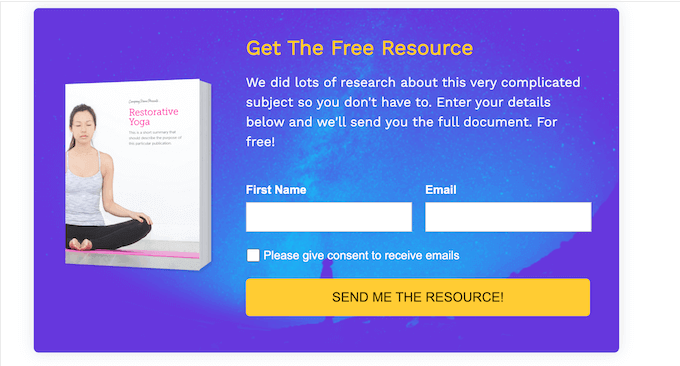
Beacon also provides flexibility in promoting your lead magnets through various formats: popups, embedded forms, floating bars, and more, allowing you to choose the conversion method that best suits your content.
To ensure the quality of your leads, you can enable double opt-in, requiring subscribers to confirm their subscription via an email link before being added to your list. This crucial step helps prevent spambots and invalid email addresses from contaminating your valuable mailing list.
This practice is essential for maintaining a clean and healthy email list and ensuring your resources are focused on engaged prospects.
Learn more about this strategy in our guide on how to add content upgrades in WordPress and grow your email list.
As you build out your website, creating specialized, custom pages for lead generation becomes paramount. For instance, you might design a unique landing page explicitly for visitors arriving from social media campaigns.
These custom pages are meticulously crafted for a singular purpose, often resulting in significantly higher conversion rates due to their focused design and minimal distractions.
The simplest and most efficient way to build these high-performing pages is with SeedProd. It’s lauded as the best drag-and-drop WordPress page builder on the market, currently powering over 1 million websites.

⭐ We’ve personally used SeedProd to expertly design many of our partner websites. For insights from our firsthand experience, be sure to read our detailed SeedProd review.
With SeedProd, you can effortlessly create any type of landing page without writing a single line of code. It boasts dozens of professional templates that are fully customizable with its intuitive drag-and-drop interface.
Many of these pre-designed pages are perfect for direct lead generation, including dedicated opt-in pages, powerful sales funnel landing pages, webinar registration forms, and more.

SeedProd also integrates seamlessly with popular email marketing tools and other essential lead generation plugins like WPForms, streamlining your entire workflow.
Every template is fully customizable, allowing you to quickly tailor your pages to start capturing leads immediately.
The builder offers dozens of specialized blocks engineered to enhance your landing pages and boost conversions, such as eye-catching countdown timers, compelling CTA buttons, and dynamic rotating testimonials.

For a complete guide on building high-converting landing pages, refer to our in-depth article on how to create a landing page in WordPress.
While the preceding tips empower you to capture more leads, you first need to attract visitors to your site. This is where SEO (Search Engine Optimization) becomes your most powerful ally, drawing targeted traffic directly from search engines. When users discover your site via search results, they are often actively seeking what you offer, making them significantly more likely to convert into leads.
Begin by establishing a robust SEO foundation using All in One SEO (AIOSEO). This is one of the most effective and user-friendly WordPress SEO plugins available.

AIOSEO helps you craft perfectly optimized titles and descriptions, generate comprehensive sitemaps, and even submit your site directly to Google Search Console. This last step is critical not only for getting your site indexed by Google but also for tracking its performance within search results.
Next, gain a competitive edge by analyzing your competition. Tools like LowFruits allow you to uncover the keywords your competitors rank for. This insight helps you identify content gaps they've missed, providing prime opportunities for you to outrank them.

Beyond competitor analysis, robust keyword research is fundamental for your own content strategy. Google Trends is an invaluable free tool for identifying popular topics and highly searched terms within your niche.
Integrate these carefully chosen keywords naturally into your content. Remember to include them strategically in your titles, headings, and throughout your body text to signal relevance to search engines.

Finally, don't overlook the technical aspects of WordPress SEO. Ensure your WordPress settings are fully optimized for search engines.
This includes setting up clear permalinks, enabling HTTPS for enhanced security (a Google ranking factor!), and adding descriptive alt text to all your images. These seemingly minor technical adjustments can significantly impact how search engines perceive and rank your website.
For a much deeper dive into optimizing your site, consult our ultimate guide to WordPress SEO.
Unlike a standalone landing page designed for a single offer and call-to-action, a lead generation funnel is a meticulously crafted sequence of interconnected web pages. This automated journey guides potential customers through various stages, from initial interest to conversion.
A lead generation funnel can even incorporate multiple offers. For example, your funnel might commence with a page promoting a valuable freebie in exchange for a visitor’s contact information.

Subsequently, you can seamlessly redirect these new leads to a sales page or a direct checkout page for your paid products. You can further enhance revenue by integrating strategic cross-sell or upsell pages to encourage additional purchases.
While creating a lead generation or sales funnel might seem complex, it becomes remarkably straightforward with FunnelKit.
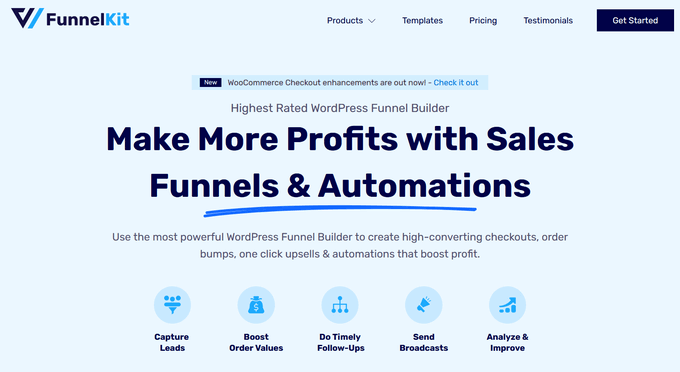
FunnelKit (formerly WooFunnels) is widely recognized as one of the top WordPress funnel builder plugins on the market, admired for its robust features and seamless integration.
It provides dozens of multi-step funnel templates that you can import with a single click, instantly providing a professional foundation for your campaigns.

You can then effortlessly customize these funnel page templates using FunnelKit’s intuitive drag-and-drop builder, tailoring every element to match your brand and optimize for conversions.
To delve deeper, explore our detailed guide on how to make a high-converting sales funnel in WordPress.
Online calculators have emerged as an incredibly popular and effective lead magnet, leveraged by some of the most successful blogs globally.
These interactive tools empower your users to solve a problem or receive an answer to a specific question. In exchange for the personalized results, users are prompted to provide their email addresses, converting an interaction into a valuable lead.

Online calculators can be seamlessly integrated into virtually any popular blogging niche, including finance, fitness, travel, education, and more, offering immense versatility.
The simplest method for adding these calculators to your website is with WPForms. While primarily a form builder, WPForms excels at helping you easily create diverse calculators too.
With WPForms, you can build various online calculators without writing any code, utilizing their extensive library of ready-made templates.

For more advanced or highly specialized calculators, the Formidable Forms plugin is an outstanding option.
Formidable Forms is perfect if you require complex calculations. It offers dozens of sophisticated templates, including BMI calculators, paycheck calculators, mortgage calculators, and many more industry-specific tools.

For in-depth guidance, read our article on how to generate more leads with free online calculators.
Giveaways are an exceptionally powerful mechanism for driving traffic, rapidly expanding your email list, boosting brand recognition, and achieving numerous other marketing objectives. Running a giveaway directly on your WordPress website gives you complete control over the desired outcomes, whether it's more email subscribers, social media followers, or specific user engagement.

To enter the contest, participants are required to complete an action that you define, seamlessly integrating lead capture into the fun.
The easiest and most effective way to manage this is with RafflePress. It is the best WordPress giveaway and contest plugin on the market, allowing you to launch and manage viral giveaways on your site with unmatched ease.

RafflePress includes robust, built-in 1-click fraud protection and verification features, ensuring that all the leads you collect are genuine and high-quality.
Its intuitive drag-and-drop builder, combined with a library of viral giveaway templates, enables you to quickly design and launch captivating giveaways and contests in minutes.

We trust RafflePress for all our giveaway needs, including our highly anticipated annual competition celebrating ShareWordpress’s birthday.
To understand our firsthand experiences and the full capabilities of the plugin, be sure to read our in-depth RafflePress review.

Comments are a dynamic way to foster user engagement and build community around your content. If your users are actively commenting and interacting on your site, they are already highly engaged, making them prime candidates for conversion into customers or email subscribers.
However, the default WordPress comment system lacks features to efficiently bring users back to your site for further engagement.
Here are innovative ways to capitalize on your comment forms and convert casual commenters into valuable leads and returning visitors.
By default, after a user submits a comment on your website, they simply see the same page reloaded with their new comment displayed. This is a missed opportunity.
You can transform these engaged visitors into subscribers or customers by redirecting them to a specially designed page immediately after they post a comment. This could be a personalized thank-you page, a special offer, a lead magnet download, or any other strategic destination.
The easiest way to implement this powerful comment redirect feature is by using the Thrive Comments plugin. It's considered one of the best comment plugins for significantly increasing user engagement and streamlining comment moderation.
First, ensure the plugin is installed and activated. If you need assistance, refer to our guide on how to install a WordPress plugin.
Then, navigate to the Thrive Dashboard » Thrive Comments page and open the ‘Comment Conversion’ tab. Select the ‘Redirect’ option and input the URL where new commenters should be directed after leaving a comment.
For example, you could send them to a custom thank you page which includes an exclusive offer.
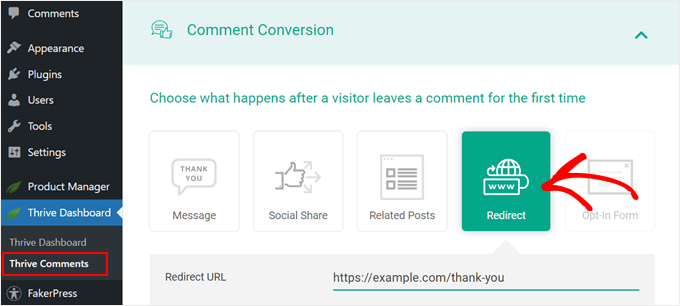
Now, every first-time commenter on your website will be automatically redirected to your chosen custom page, opening new possibilities for engagement.
Thrive Comments also offers other conversion-focused options, such as displaying a thank-you message, prompting social shares, showcasing related posts, or integrating opt-in forms using the Thrive Leads plugin.
As noted, the default WordPress system doesn’t notify users about replies to their comments, requiring them to manually re-visit your site.
Adding a comment subscription option allows users to receive email notifications when new replies or comments are posted in a thread they’ve engaged with. This simple feature significantly increases opportunities to convert visitors into loyal subscribers by encouraging ongoing interaction.
You can easily enable comment subscriptions using Thrive Comments. For detailed instructions, refer to our guide on how to allow your users to subscribe to comments in WordPress.

Lead generation is not a one-and-done task; it’s an agile, continuous process. To truly maximize your results, you must constantly monitor what performs well, identify areas for improvement, and adapt your strategies.
Here are actionable tips to continually optimize your lead generation efforts:
Beyond the initial lead capture, consider your post-conversion strategy. What happens immediately after a visitor becomes a lead? Developing an effective follow-up sequence and identifying long-term lead nurturing channels are crucial for converting leads into customers and advocates.
Here are additional ideas to enhance your lead nurturing and overall customer journey:
Even seasoned website owners encounter questions when it comes to lead generation. Understanding the common queries can illuminate your path forward. Here, we've compiled answers to some frequently asked questions to demystify the process and help you on your lead generation journey.
One of the most straightforward ways to begin is by using a powerful yet user-friendly plugin like WPForms. It allows you to effortlessly add various types of forms to your site, enabling immediate lead capture.
The key is to offer immense value. Start by providing compelling incentives such as free ebooks, exclusive discounts, or members-only content. Beyond the offer, utilize tools like OptinMonster and SeedProd to craft exceptionally engaging popups and landing pages that actively encourage and simplify the signup process.
Ideally, you should initiate lead collection the moment your website goes live. The sooner you start, the more momentum you build, allowing you to cultivate a valuable audience from day one.
We highly recommend integrating a robust analytics tool such as MonsterInsights. This plugin allows you to monitor exactly how visitors interact with your website, providing invaluable data so you can continually refine and optimize your strategies for best results.
We trust this comprehensive guide has empowered you to approach lead generation in WordPress like a seasoned professional. By implementing these strategies and tools, you can transform your website from a fleeting stop into a powerful engine for building loyal audiences and generating consistent growth.
To continue your learning, dive into our guide on how to increase leads by 50% with interactive lead generation or learn how to track user journey on WordPress lead forms.
If you found this article valuable, please consider subscribing to our YouTube Channel for more essential WordPress video tutorials. You can also connect with us on Twitter and Facebook to join our thriving community!
