


Transforming your WordPress website into a dedicated mobile app is no longer a luxury—it’s a strategic imperative. In today's mobile-first world, users expect instant access and seamless experiences right from their smartphones and tablets. While a responsive website is a good start, a native mobile app elevates user engagement, boosts accessibility, and gives you a distinct edge in a crowded digital landscape.
Imagine your audience interacting with your content, products, or community with a single tap, receiving timely updates via push notifications, and even accessing information offline. This isn't just about convenience; it's about fostering deeper connections and driving significant growth.
Historically, building a mobile app meant confronting complex coding, astronomical development costs (often $15,000+), and lengthy development cycles. But what if there was a way to bypass these hurdles entirely? What if you could convert your existing WordPress site into a professional-grade mobile app without writing a single line of code?
We've delved deep into the most popular solutions designed to do just that. Our team rigorously tested various plugins, focusing on critical factors like ease of use, customization flexibility, performance efficiency, and robust integration capabilities. The result? A comprehensive breakdown of each tool's strengths and weaknesses, designed to help you make an informed decision and effortlessly bridge the gap between your WordPress site and a powerful mobile application.

If you examine your website traffic through tools like Google Analytics, you'll likely discover that a substantial portion of your audience accesses your site via mobile devices. This makes your site's performance and appearance on smartphones and tablets absolutely critical for user retention.
While a mobile-responsive design is essential for basic mobile compatibility, progressive businesses are now taking the next step: offering a superior user experience through dedicated mobile apps.
Think about it: instead of typing your URL into a mobile browser, imagine your users simply tapping an icon on their home screen. This direct, one-tap access dramatically enhances convenience for loyal readers of your blog, customers of your eCommerce store, members of your membership site, or participants in your online community.
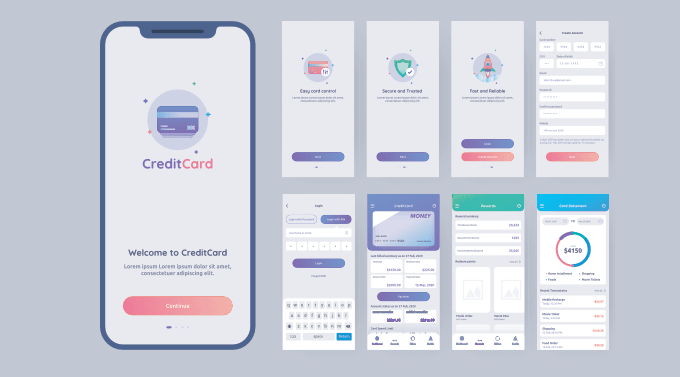
A native mobile app delivers:
The good news is that you no longer need extensive programming skills or a huge budget to leverage these benefits. The plugins we've identified empower you to transform your WordPress site into a fully functional mobile app, coding-free.
At ShareWordpress, our commitment is to provide trustworthy, thoroughly researched recommendations. Our team comprises seasoned experts in WordPress, web hosting, SEO, and digital marketing, bringing years of hands-on experience to every review.
To bring you the most accurate and reliable insights on WordPress mobile app conversion, we employed a rigorous testing methodology:
For a deeper understanding of our commitment to accuracy and impartiality, please refer to our complete editorial process.
If you're short on time, here’s a quick overview of our expert picks:
Let's dive deeper into what makes each of these plugins stand out.
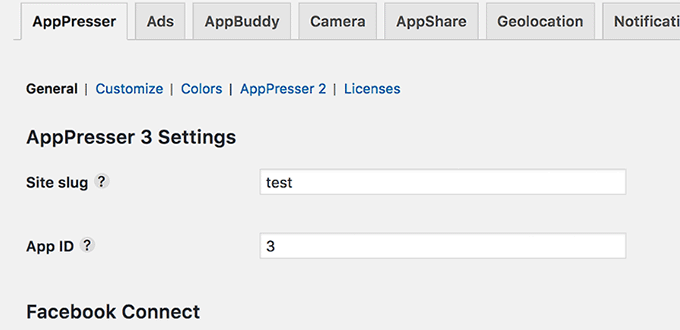
AppPresser stands as an exceptionally user-friendly platform, designed for converting any WordPress site into a high-quality mobile app. Its robust integrations with LearnDash and BuddyPress make it the gold standard for developing apps dedicated to learning management systems (LMS) and vibrant community websites.
Our extensive testing revealed that AppPresser offers a dedicated WordPress mobile theme, providing a solid foundation for your app, whether it's for a blog, a WooCommerce store, or a dynamic BuddyPress website. Crucially, apps built with AppPresser are fully compatible with major app stores like Google Play and the Apple App Store, ensuring broad reach.
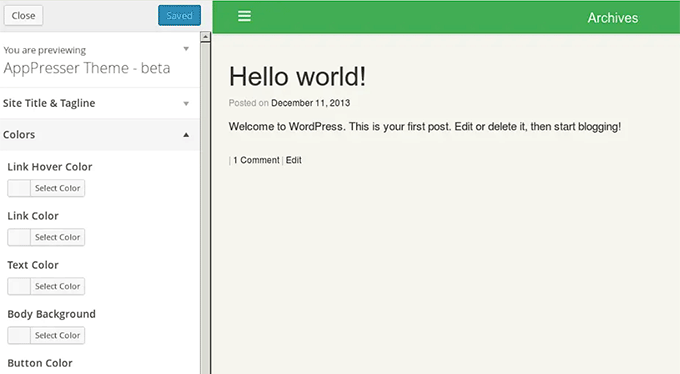
Customization is intuitive, thanks to AppPresser’s visual customizer. Much like styling a WordPress theme, you can effortlessly adjust colors, menus, layouts, and add custom pages, all while seamlessly pulling content from your existing WordPress site.
The plugin also features integrated push notifications, which are remarkably easy to configure and manage. This powerful feature allows you to notify your app users about new updates, product launches, messages, and more, keeping them engaged.
AppPresser also offers limited offline functionality for your mobile apps, meaning users can access predefined content even without an internet connection – a significant convenience factor. Plus, its real-time live preview feature allows for immediate adjustments during the app-building process, streamlining your workflow.
Pros of AppPresser:
Cons of AppPresser:
Why we recommend AppPresser: For anyone looking to convert an LMS or community website into a mobile app, AppPresser is the undisputed champion. Its native integrations with LearnDash and BuddyPress, coupled with its robust feature set, make it an exceptional choice for education platforms and social networks.

MobiLoud is a sophisticated solution designed for website owners seeking to transform their WordPress sites into highly polished mobile apps. They offer specialized products for various needs: one tailored for news or blog sites and another for robust platforms utilizing WooCommerce or other complex plugins.
Our testing consistently showed that MobiLoud grants you unparalleled control over your app’s design, ensuring it perfectly mirrors your brand identity. It provides incredibly flexible styling options for themes, colors, fonts, icons, and much more – all achievable without a single line of code.
MobiLoud's seamless integration with WordPress means you don't have to worry about compatibility issues. Your website's content, including posts, pages, and WooCommerce products, automatically syncs with your mobile app in real-time, greatly simplifying content management.

A standout feature of MobiLoud is its advanced push notification capabilities. Whether it's breaking news, exciting promotions, or fresh content, you can send targeted messages to users based on their activity within the app, maximizing relevancy and engagement.
Furthermore, MobiLoud offers complete command over your app's navigation. You can meticulously customize the menu structure, guaranteeing users can easily locate content and intuitively navigate through your app.

Beyond these core features, MobiLoud includes offline access, support for mobile advertising, and comprehensive analytics integration. What truly sets it apart is its white-glove service: MobiLoud fully configures, prepares, and even submits your app to the app stores for you, saving you significant time and hassle.
Pros of MobiLoud:
Cons of MobiLoud:
Why we recommend MobiLoud: For news publishers and content-heavy blogs, MobiLoud is an unparalleled solution. It’s engineered to deliver a fluid, high-performance reading experience directly to your users' mobile devices, making it an ideal choice for maintaining active engagement with your audience.
AppMySite is an incredibly valuable plugin designed to effortlessly transform your WordPress website into a fully functional mobile app. With its unparalleled and seamless WooCommerce integration, it emerges as the premier choice for businesses aiming to convert their online stores into dedicated mobile eCommerce applications.
Our comprehensive testing revealed that AppMySite goes far beyond basic conversion. It empowers you to easily incorporate essential eCommerce functionalities, including secure payment gateways, streamlined cart and checkout processes, intelligent filter and sorting options, and even social media integration to boost discoverability.
You also have the freedom to design a custom logo for your app, ensuring it perfectly aligns with your brand identity and resonates with your audience.

AppMySite provides robust multi-platform support, allowing you to build and deploy apps for both Android and iOS ecosystems. Crucially, it syncs your website with the app in real-time. This means any changes you make to your website content or products are automatically reflected in your app, ensuring consistency and saving you significant manual effort.
The plugin is also compatible with popular WordPress themes, enabling you to maintain a consistent brand aesthetic across your website and mobile app. For more design inspiration, consider exploring our top picks for the best WordPress themes.
Pros of AppMySite:
Cons of AppMySite:
Why we recommend AppMySite: If your core objective is to create a powerful, dedicated mobile app for your online marketplace or a WooCommerce-powered store, AppMySite is unequivocally the top recommendation. Its deep and seamless integration with WooCommerce, combined with its comprehensive suite of eCommerce-centric features, provides a superior shopping experience directly on your customers’ smartphones.
WPMobile.App is another outstanding tool for directly converting your WordPress website into a mobile app. Its most compelling attribute is its incredibly intuitive interface, allowing you to set up and configure your entire app right within the familiar WordPress admin dashboard.
This plugin offers comprehensive white-label services, giving you absolute control over your mobile app's name, logo, and theme. You can effortlessly upload custom app icons, define custom buttons, specify precise color schemes, and even manage translations, ensuring your app perfectly reflects your brand identity.
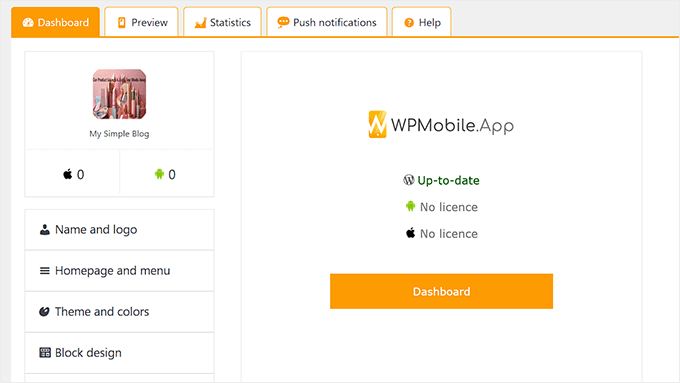
We highly value its integrated search engine feature, which is remarkably convenient for users, allowing them to search for your content directly within the mobile app. This significantly enhances content discoverability and user satisfaction.
WPMobile.App also supports social sharing functionality, enabling users to effortlessly share your articles and pages across popular platforms like Twitter, Facebook, and LinkedIn, amplifying your reach and visibility.
Pros of WPMobile.App:
Cons of WPMobile.App:
Why we recommend WPMobile.App: If your primary objective is to create a visually appealing, highly functional, and user-friendly mobile app specifically for your WordPress blog or any content-focused website, WPMobile.App is an excellent practical choice.
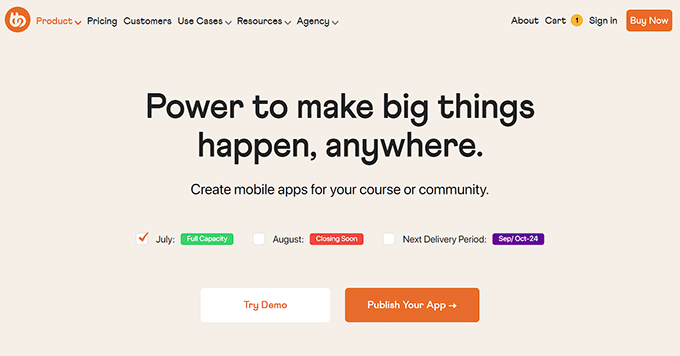
BuddyBoss distinguishes itself as the premier WordPress community platform that also provides robust capabilities for building a mobile app for your social network. This makes it the absolute ideal choice for anyone aspiring to create a dedicated social networking app where users can connect, share content, view activity feeds, and much more.
📝 We’ve put this tool through extensive testing to better understand everything it can do. To learn more, check out our BuddyBoss review.
BuddyBoss integrates seamlessly with leading LMS and membership plugins. This allows you to build sophisticated apps for your members and students, complete with discussion forums, rich user profiles, and comprehensive learning management features. Beyond that, it offers a powerful suite of features including social sharing, comments, likes, gamification elements, quiz access, and streamlined course enrollment.
Looking to monetize your community? BuddyBoss empowers you to sell merchandise, establish seamless checkout experiences, and efficiently track orders directly within the app you create.
Pros of BuddyBoss:
Cons of BuddyBoss:
Why we recommend BuddyBoss: For transforming your social network or community platform into a powerful mobile app, BuddyBoss is the definitive choice. Its integrated design system allows you to build your website and app with a unified toolset, ensuring a cohesive and immersive experience for your users.
Selecting the right plugin hinges entirely on your specific needs and the type of WordPress site you operate.
We’ve had the privilege of assisting countless website owners in creating beautiful, high-performing mobile apps. This experience has given us unique insight into the most common questions and concerns. Here are the answers to some frequently asked questions you might have about converting your WordPress website into a mobile app:
No, absolutely not! The powerful plugins we’ve highlighted are specifically engineered for user-friendliness, making them accessible to users of all skill levels. You can effortlessly convert your WordPress site into a fully functional mobile app without writing a single line of code.
While your app can certainly mimic your website’s core design, these plugins also provide dedicated customization options for the app interface itself. This empowers you to fine-tune the mobile user experience, ensuring it’s optimally designed for smaller screens and intuitive touch interactions.
The vast majority of these plugins are designed to be theme-independent, meaning they should integrate seamlessly with any standard WordPress theme. However, for specific compatibility details or advanced configurations, we always recommend consulting the plugin’s official documentation.
The plugins we’ve reviewed typically include comprehensive guides and dedicated support to assist you in publishing your app to both Google Play and the Apple App Store. Some even offer professional services that can handle the entire submission process on your behalf, significantly simplifying getting your app live for mobile users worldwide.
Continue enhancing your WordPress site's mobile capabilities and broader digital strategy with these expert guides:
Converting your WordPress site into a mobile app is a powerful leap forward for your business or passion project. It's about meeting your audience where they are, enhancing their experience, and unlocking new avenues for engagement and growth. With the right plugin, this transformative step is not only achievable but remarkably straightforward.
We trust this comprehensive guide has empowered you to identify the ideal plugin to convert your WordPress site into a high-performing mobile app. Don't let the power of mobile apps remain untapped! Take the first step towards a more accessible, engaging, and future-proof digital presence today.
If you found this article helpful, consider subscribing to our YouTube Channel for more essential WordPress video tutorials. You can also connect with our vibrant community on Twitter and Facebook for the latest tips and insights.
