


Selecting the perfect platform to build your church website can feel like navigating a complex maze. With so many options available, each promising ease of use and powerful features, how do you discover the one that truly meets your ministry's unique needs without a degree in web development?
You're not alone if you feel overwhelmed. Many churches face the challenge of creating a compelling online presence that extends their mission, engages their congregation, and reaches new members. The good news? You don't need to be a web designer to build an impactful church website.
At ShareWordpress, we've dedicated years to extensively testing and evaluating countless website builders. Our journey consistently leads us back to self-hosted WordPress as our top recommendation. It perfectly balances unparalleled control, incredible flexibility, cost-effectiveness, and surprising user-friendliness, even for beginners.
However, we understand that "one size fits all" rarely works, especially for diverse ministries. That's why we've delved deep, researched, and put the most popular church website builders through their paces. This comprehensive guide distills our findings, helping you confidently choose the ideal solution to amplify your church's digital outreach.
In a hurry? Here’s a quick overview of our top-rated church website builders, designed to help you make an informed decision fast:

Think of your church website as a dynamic digital extension of your ministry – an "always-open" door inviting your congregation and new visitors alike. In today's digital age, the first place most people look for information, including finding a spiritual home, is online.
A robust church website serves as a central hub, providing instant access to vital information like service times, event schedules, and critical updates. It ensures your ministry remains accessible and welcoming to both loyal members and those seeking to connect for the first time in your community.
Beyond practical information, a well-crafted website dramatically boosts communication and engagement. Imagine sharing inspiring sermons, facilitating secure online giving, or even streaming live services to reach a wider audience. These powerful features allow your ministry to thrive and engage beyond the church walls.

Crucially, your website acts as an invaluable outreach tool, connecting you with individuals actively searching for a spiritual community in your area. Without a website, it's like keeping your church doors closed most of the week. With one, your church is perpetually open, ready to serve, and available to anyone in need, anytime they seek it.
Choosing the right website builder for your church demands careful consideration of specific functionalities. During our comprehensive testing and review process, we meticulously evaluated each platform against a set of critical criteria essential for a thriving modern ministry:
For over 16 years, ShareWordpress has been a trusted authority, guiding millions through the complexities of building and managing websites, especially with WordPress.
We deeply understand the distinct challenges churches encounter in establishing an impactful online presence. From managing sermons and organizing events to securely accepting donations and fostering vibrant community connections, a church website carries immense responsibility.
For this definitive roundup, we channeled our extensive expertise into rigorously testing and reviewing the most popular website builders. Our evaluation honed in on what truly matters to ministries: ease of use, customizable church-specific templates, robust donation capabilities, and effective community engagement tools.
This guide is the culmination of years of hands-on experience, meticulous testing, and the collective wisdom of the ShareWordpress team. Our research is perpetually updated, ensuring you receive the most accurate, relevant, and timely advice. For a deeper dive into our standards, explore our complete editorial process.
Now, let's explore the leading church website builders on the market today.
WordPress, specifically the self-hosted WordPress.org, stands as the most powerful and flexible website builder globally, powering over 43% of all websites. It empowers your church with absolute ownership and control over your digital assets, ensuring your data remains yours and every aspect of your site is fully customizable. Its extensibility through free and premium plugins is simply unmatched.
Our own blog, ShareWordpress, thrives on WordPress, a testament to its unparalleled versatility and robust performance. We’ve meticulously detailed its capabilities in our ultimate WordPress review.
Crucially, distinguish between WordPress.org ("self-hosted WordPress") and WordPress.com (a hosted service, which we'll address later). For a clear breakdown, consult our guide comparing WordPress.org vs. WordPress.com.

Unlike many free website builders that display ads or limit functionality, WordPress.org gives you full command over your design, content, and features, making it the ideal foundation for any church website.
When building a church site, you'll discover a vast array of free and premium church themes for WordPress to launch quickly. For bespoke designs without coding, leverage popular drag-and-drop page builders like SeedProd, Divi, or Beaver Builder.

WordPress's power grows exponentially with its over 59,000 plugins. Easily add essential features like contact forms, photo galleries, and more. For churches specifically, the powerful Sermon Manager plugin simplifies sermon uploads and organization.
Securely accept online donations with a donation and fundraising plugin. We highly recommend WPForms Lite, a free solution for Stripe payments. For advanced fundraising, WP Charitable is an excellent premium tool, even supporting crowdfunding campaigns.


Collaborating is simple with WordPress's robust user management; create unlimited accounts and assign specific roles and permissions to control access precisely. For exclusive content, plugins like MemberPress allow you to build dynamic member areas.
Furthermore, WordPress boasts a vast, active community offering unparalleled support. Join our free ShareWordpress Engage Facebook group for encouragement and assistance.
While WordPress software is free and open-source, its self-hosted nature requires a domain name and web hosting to go live.
⭐ Exclusive Offer: Our partners at Bluehost generously offer ShareWordpress readers a FREE domain name and a significant hosting discount. Launch your church website today for just $1.99 per month! Simply use our Bluehost coupon code to benefit.
→ Click Here to Claim This Exclusive Bluehost Offer ←
Once your domain and hosting are ready, follow our comprehensive guide on how to make a WordPress website.
Pros of WordPress:
Cons of WordPress:
Why we recommend WordPress: WordPress offers the ultimate flexibility and freedom for any church website. Its ease of customization, vast plugin ecosystem, and full control over your site make it the most powerful and future-proof choice.
Pricing: The WordPress software is free. You'll budget approximately $9 – $15 per year for a domain name and around $7.99 per month for web hosting (often less with ShareWordpress discounts).
📝 Alternative Hosting: Beyond Bluehost, we also recommend SiteGround or any of these top-tier WordPress hosting companies.

If your church prioritizes speed and convenience, Web.com presents an excellent all-in-one solution. It bundles web hosting, eliminating the need for separate purchases, and all plans include a free domain, business email address, free backups, robust security features, and analytics.
Our setup experience was remarkably swift. Simply typing "church" as the website type and selecting a few pre-defined options quickly generated a foundational site.
Web.com offers thousands of sophisticated pre-designed templates and a powerful drag-and-drop builder, allowing extensive customization. Access to a vast library of stock images further simplifies the design process, making church website creation both quick and effortless.
The editor provides extensive control over site layout and design. While a dedicated donation feature isn't native, you can creatively use its eCommerce functionality to list "Donation" products at various amounts.
Should you require assistance, Web.com provides 24/7 support via email and live chat. We found their live chat team responsive and highly helpful.
Pros of Web.com:
Cons of Web.com:
Why we recommend Web.com: We endorse Web.com for its straightforward, all-inclusive approach to church website creation. Its drag-and-drop interface, extensive template library, and ready-to-use stock images ensure a speedy and efficient launch.
Pricing: Web.com starts at an incredibly affordable $1.95 per month. Their eCommerce plan, commencing at $3.95 per month, is highly advantageous for churches looking to sell products, event tickets, or facilitate online transactions.

Wix stands as a leading website building platform, renowned for its no-code approach and fully hosted environment. It's an excellent choice for small churches looking for a complete, user-friendly solution.
Though we typically favor WordPress-based builders, our thorough testing of Wix – by signing up and building a site ourselves – allowed us to offer firsthand insights.
We found Wix’s interface incredibly intuitive during setup. Its distinct drag-and-drop functionality makes website creation accessible to absolute beginners.
Wix offers a dedicated collection of templates specifically tailored for churches, incorporating features for event listings, service schedules, and more. This allows you to select a style that resonates with your church and customize it seamlessly.

A notable benefit is the inclusion of a free SSL certificate, which you must activate. This is critical for data security, especially if your church plans to accept payments, donations, or utilize a contact form.
For donations, the Wix Donations app allows you to create and manage campaigns for various causes. You can customize the donation form with specific amounts and recurring options.
To process donations, a paid plan and a payment provider (like Wix Payments or PayPal) are necessary. Be aware that Wix Payments may levy a processing fee.
Pros of Wix:
Cons of Wix:
Why we recommend Wix: Wix is an excellent choice for beginners aiming to build a professional church website with minimal effort. It delivers easy customization, integrated hosting, and features specifically designed for ministries, including pre-built church templates, donation campaigns, and event management tools.
Pricing: Wix offers a free plan, but its branding and resource limitations are restrictive. The Light plan, at $17 per month, provides more features but still doesn't permit online payments. To collect funds, you'll need the Core plan at $29 per month or higher.

Sharefaith is a prominent website builder consciously crafted for churches. It provides a dedicated platform brimming with tools for sermon and event management. Our testing highlighted its remarkably efficient setup process.
A key differentiator for Sharefaith is its expansive collection of church-focused templates. Unlike generic platforms, every template is designed with ministries in mind, eliminating irrelevant choices and making selection straightforward. Previews and easy testing of templates are also a significant advantage.
Sharefaith excels in sermon management. Uploading sermons to your church website, whether audio or video, is intuitive. We appreciated the ability to organize sermons by preacher or series, enhancing discoverability for visitors.
The integrated calendar feature proved exceptionally user-friendly, providing a seamless way to keep the congregation informed about services and events.
Another standout is Sharefaith Giving, which simplifies accepting donations and tithes directly through your site, fostering financial stewardship.
The robust media library is a huge plus, offering over 90,000 graphics, videos, and images, ensuring ample design resources. The option to upload custom visuals further enhances creative freedom.
Lastly, Sharefaith's advanced tools allow for adding multiple users and complimentary site migration for annual plans – a valuable service if you're transitioning from another platform.
Pros of Sharefaith:
Cons of Sharefaith:
Why we recommend Sharefaith: For churches prioritizing seamless sermon management, an integrated event calendar, and dedicated donation tools, Sharefaith is a top contender. While not the most budget-friendly, its comprehensive, ministry-specific support often justifies the investment.
Pricing: Sharefaith's "media + web" plan, the minimum for website creation, costs $45 per month (annual billing) or $50 per month (monthly billing). This can be a worthwhile investment for churches requiring its specialized features, particularly sermon management.
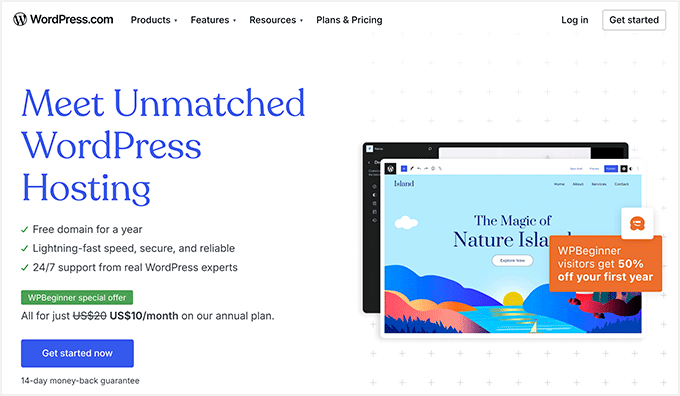
WordPress.com is built upon the same robust foundation as WordPress.org but operates as a hosted solution. It’s a viable alternative for those who prefer a more hands-off approach to their website management, foregoing the need to seek out separate hosting services.
While we advocate for the flexibility of WordPress.org, our extensive experience with WordPress.com through user questions has given us deep insights. For more details, see our complete WordPress.com review.
It's easy to confuse the two: WordPress.org provides the free, open-source software, while WordPress.com is a commercial, managed offering.
WordPress.com comes with certain limitations, particularly in its free tier. This is why we generally recommend WordPress.org for ultimate control. However, WordPress.com can be the perfect fit for specific scenarios.
The primary advantage of WordPress.com is its fully managed environment. All backups, updates, and security protocols are handled automatically, freeing your church team from technical overhead.
You'll find hundreds of themes (designs) suitable for church websites, available in both free and premium tiers.
A key benefit is the relatively straightforward process to migrate from WordPress.com to WordPress.org later, preserving your options for future growth.
Pros of WordPress.com:
WordPress.org if your needs evolve.Cons of WordPress.com:
WordPress.org, especially plugin and theme freedom on lower plans.Why we recommend WordPress.com: We included WordPress.com for its unparalleled convenience as a hosted platform that streamlines security, backups, and updates. It’s an ideal choice for churches seeking a simple solution with abundant theme options and the flexibility to upgrade to WordPress.org when needed.
Pricing: Paid plans are reasonably priced, starting at $4 per month (billed annually) for a custom domain and 24/7 support. However, to unlock plugin and custom theme installation, the Professional plan, at $12 per month (annually, or $10/month for the first year with our WPB50 discount code), is required.

Ministry Designs is a website builder meticulously crafted for churches, notably offering direct, hands-on support with a dedicated representative. This makes it an ideal choice if your church anticipates needing personalized 1-on-1 attention. Our setup experience revealed its intuitive features, highly relevant for managing a ministry's digital landscape.
The platform proficiently handles sermon uploads, calendar creation, and even email list management, making it a truly comprehensive solution for church websites. The sermon upload feature proved straightforward, allowing for easy categorization by series or preacher.
You’ll discover a diverse range of attractive, fully responsive templates that perform flawlessly across mobile and desktop devices. The templates impressed us with their clean design and straightforward customization, enabling even non-technical users to build a professional-grade church website.
Ministry Designs offers unlimited training, including a unique "Ministry Success Representative" who guides you step-by-step, often using screen-sharing technology. This personalized coaching approach significantly simplifies the setup process compared to other platforms.
The journey begins with an hour-long initial phone consultation, followed by continuous support. We truly value this tailored approach, as it alleviates the daunting feeling often associated with website setup.
The platform also supports multiple user accounts, with three included free, and options to add more as your team expands.
Their support team is easily reachable via live chat directly on their website, even before signing up.
Pros of Ministry Designs:
Cons of Ministry Designs:
Why we recommend Ministry Designs: We've chosen Ministry Designs for its dedicated church-specific features and, most notably, its commitment to personalized 1-on-1 customer support. It’s an invaluable asset for churches needing comprehensive hands-on assistance.
Pricing: Ministry Designs charges a $1,000 upfront fee covering software and initial support. Subsequent hosting costs $20 per month. While substantial, this investment can be highly worthwhile for churches lacking a volunteer with the technical expertise to build a website independently, potentially saving significant headaches.

Nucleus is another all-in-one church website builder, strategically designed to be the "central hub" of your congregation. It's particularly well-suited for ministries aiming to cultivate a thriving online membership.
With a strong emphasis on user-friendly signup forms, Nucleus actively encourages more individuals to become online members, significantly streamlining communication and boosting interaction within your church community.
Upon signing up, you gain access to a library of video clips (a limited selection during the free trial). These clips proved beneficial for creating engaging content, though we wished for more variety in the trial.
One of Nucleus's most impressive features is its library of pre-made social media posts, complete with suggested captions. This not only dramatically simplifies your content creation but also ensures your church maintains a consistent and active online presence across all platforms.
Nucleus also provides comprehensive documentation, responsive live chat support, and an active Facebook group where users share tips and advice.
Experience Nucleus risk-free with a 30-day trial – no credit card required. This allowed for effortless platform exploration. If more time is needed, Nucleus readily extends the trial upon request.
Furthermore, if affordability is a concern, inquire about Nucleus's "scholarships" specifically for smaller churches and startups.
Pros of Nucleus:
Cons of Nucleus:
Why we recommend Nucleus: As a dedicated church website builder, Nucleus excels with its all-in-one approach, particularly its focus on signup forms and community building. The pre-packaged social media content saves time and maintains consistency. Its risk-free trial and scholarship options make it an accessible and budget-conscious choice.
Pricing: Nucleus costs $125 per month (monthly billing) or $99 per month (annual upfront payment). This is a single, flat fee, ensuring you can leverage all its powerful features regardless of your website's growth, without incurring additional charges.

Weebly is an incredibly user-friendly website builder, ideal for beginners. It integrates robust eCommerce features, making it a compelling option for churches that wish to accept online donations or sell merchandise.
Our experience with Weebly's drag-and-drop interface was seamless, allowing for intuitive site creation. The diverse range of editable designs provided ample creative freedom to customize our test sites.
Its built-in eCommerce capabilities enable direct donation acceptance, a significant pro for churches. However, be aware that Weebly levies a 3% transaction fee on donations or sales, which can accumulate if your church heavily relies on online contributions.
The App Center is another valuable asset, offering various add-ons to enhance your church website's functionality. For instance, audio players allow for easy upload and sharing of sermons—a features we found particularly helpful for incorporating multimedia content.
Weebly provides 24/7 email support, with live chat available during business hours. We found their support team responsive and helpful. For Pro plan users and above, phone support is also an option, adding another layer of convenience.
Lastly, for churches needing to create a membership area for exclusive content or member-only access, Weebly offers this functionality on its higher-tier plans. This is invaluable for protecting sensitive information and ensuring exclusive content remains accessible only to specific members.
Pros of Weebly:
Cons of Weebly:
Why we recommend Weebly: Weebly stands out for its exceptional ease of use and a beginner-friendly drag-and-drop interface. Its wide array of customizable designs and integrated eCommerce support are key advantages. The ability to easily add multimedia content and create membership areas further enhances its appeal for churches.
Pricing: Paid plans start from $6 per month (billed annually), but this plan includes Weebly ads. To remove ads and gain unlimited storage, the $12 per month Professional plan is required.
📝 For a detailed comparison, see our WordPress vs Weebly comparison.

Squarespace is a widely recognized all-in-one website builder, celebrated for its intuitive design tools and aesthetically pleasing outputs. We found it particularly beneficial for church websites due to its support for multiple users, which greatly facilitates team collaboration.
The platform's block editor streamlines the process of integrating images, videos, and audio files. This flexibility is perfect for uploading and sharing sermons in various formats.
Squarespace's seamless image handling ensures your visuals look excellent on any device. A significant bonus is the ability to browse and select free images from Unsplash directly within the editor.
We also appreciated Squarespace's extensive font library, which makes it easy to maintain brand consistency by matching website typography with your church's printed materials.
Another valuable feature is the flexibility to add contributors, especially on higher-tier plans. For accepting donations, Squarespace offers a dedicated 'Donations' block, available with the Business plan or higher.
Squarespace provides a free trial with no obligations or credit card details required, allowing you to explore the platform thoroughly before committing.
Pros of Squarespace:
Cons of Squarespace:
Why we recommend Squarespace: We favor Squarespace for its outstanding user-friendly design and versatile features. Its support for multiple users and extensive customization options are highly convenient. The built-in ability to accept donations on premium plans adds crucial functionality for ministries.
Pricing: The Personal website plan is $12 per month (annual billing). However, we recommend the Business plan at $18 per month (annually) to gain access to premium blocks, extensions, and the crucial ability to accept donations.
Related: For a direct comparison, explore our Squarespace vs WordPress comparison guide.
Based on our extensive research and hands-on testing, WordPress (self-hosted) unequivocally remains the best website builder for churches. Its dominance is clear, powering over 43% of all websites globally, a testament to its unparalleled stability and growth potential.
WordPress provides an abundance of church themes and intuitive editing options, empowering you to build a professional church website without any coding knowledge.
For cost-effectiveness, we highly recommend leveraging our exclusive Bluehost web hosting offer. It includes a free domain name and a free SSL certificate, ensuring your site is secure and professional from day one. Plus, our Bluehost coupon code provides a substantial discount, making it incredibly affordable to get started.
The power of WordPress truly shines through its vast ecosystem of popular WordPress plugins. Effortlessly add critical features like online donations, sermon archives, contact forms, photo galleries, membership areas, email marketing, and so much more. The possibilities are truly limitless.
If you are exploring a compelling WordPress alternative, we confidently recommend the Web.com website builder. Its starter plan offers an incredibly budget-friendly way to create a fully functional church website, and its user-friendliness is second to none, even for those with no technical background.
💡 Ready to launch your church's online ministry? Dive into our comprehensive, step-by-step guide on how to make a website with WordPress.
Alternatively, let our experts handle everything! With ShareWordpress's WordPress Website Design Service, our team will craft your ideal church website from concept to launch. You’ll even get a dedicated project manager to ensure your vision comes to life seamlessly. Book a free consultation today!
Choosing the right website builder for your church is a significant decision, and it’s natural to have questions. Here are answers to some of the most common inquiries, designed to help your ministry make the best choice.
In today’s digital landscape, a website often serves as the first point of contact for individuals seeking spiritual connection. A well-designed church website functions as your ministry’s digital front door - welcoming visitors, providing essential information (like service times and location), and effectively sharing your message. It’s a powerful tool for connecting with your community, both locally and globally, ensuring your church is accessible 24/7.
While each church has unique needs, we've identified several crucial features that enhance engagement and outreach: a dynamic calendar for events and services, robust sermon management (audio or video), secure online giving options, clear contact information, and details about your staff and leadership. Churches that prioritize these elements typically experience greater community engagement.
The level of technical expertise required largely depends on the chosen website builder. Fortunately, many contemporary platforms offer intuitive drag-and-drop interfaces and user-friendly templates, making professional website creation accessible even for absolute beginners. You can achieve a stunning, functional site without writing a single line of code.
Website costs vary, ranging from free plans with limited features to premium subscriptions offering advanced capabilities. A domain name (e.g., yourchurch.org) typically costs around $10-$15 per year. Web hosting, which provides the server space for your website, can range from a few dollars to several hundred per month, depending on your ministry's size and traffic. Affordable options are readily available even for churches with tight budgets.
Website security is paramount for any organization, and critically important for churches. You'll likely handle sensitive information such as member data, financial contributions, and online donations. Ensure your chosen platform offers robust security features, including SSL certificates (which encrypt website data) and regular backups, to safeguard your website and your community's private information.
Most reputable website builders provide comprehensive customer support if you encounter challenges. Additionally, many freelance web developers specialize in church websites, offering expert assistance. ShareWordpress also provides an abundance of free resources and guides to support you at every stage. For a completely hands-off approach, consider ShareWordpress's WordPress Website Design Service, where we build a tailor-made professional website for your church.
We trust this comprehensive guide has illuminated the best church website builders, helping you confidently select the ideal platform for your ministry. You might also find value in our expert list of the best WordPress plugins for non-profits and our comparison of the best business phone services for non-profits.
If this article proved helpful, please consider subscribing to our YouTube Channel for more WordPress video tutorials. You can also connect with us on Twitter and Facebook to join our vibrant community.
